Accessing the Community Wall
Locate and navigate to the Community Wall widget on the Navigation bar. 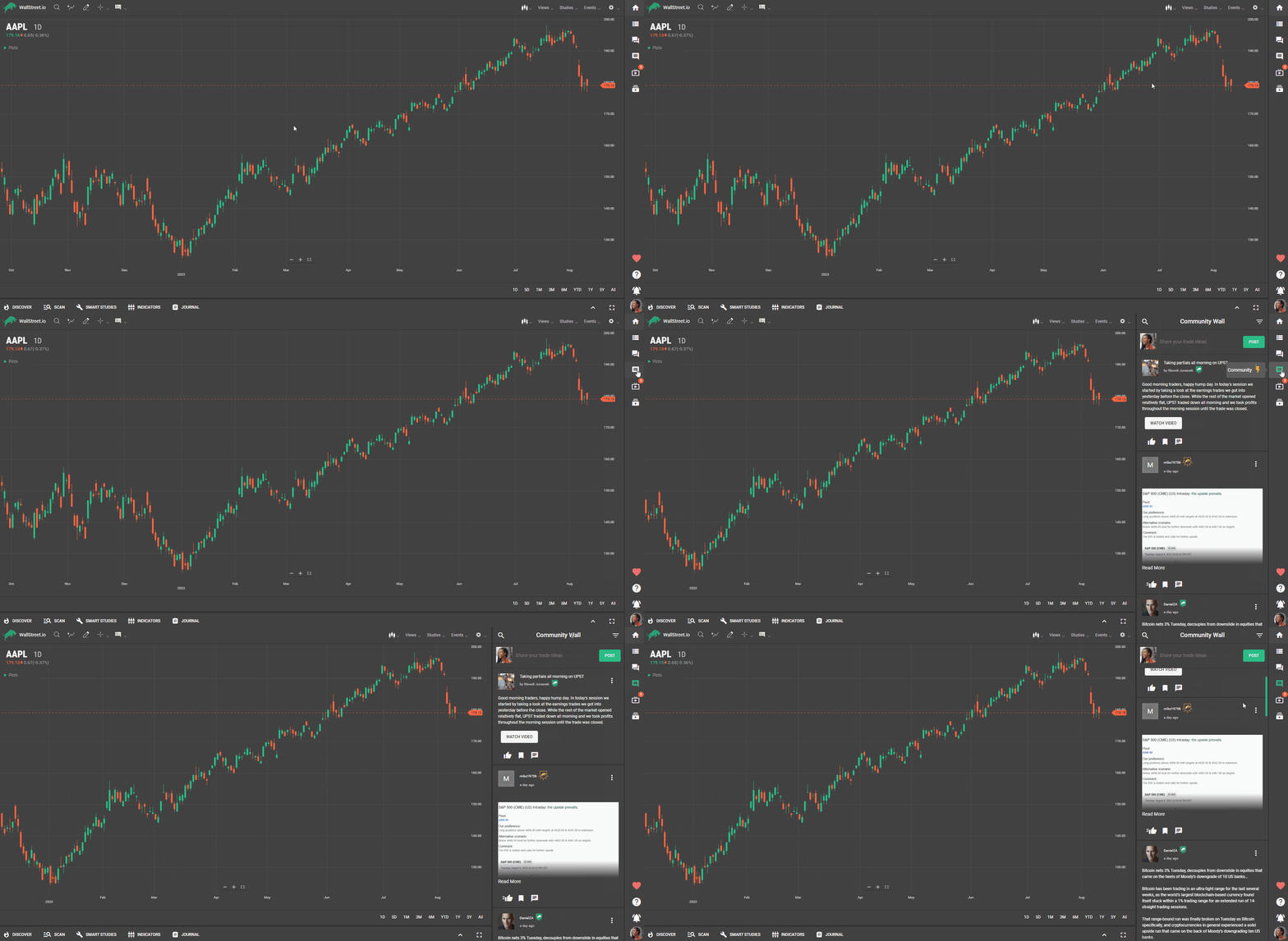
Creating a Post
Click on the "Share your trade ideas" box at the top of the Community panel to initiate a new post.Enter your text in the provided text box, using the formatting options available. Choose between bold or italic styles to emphasize specific text.Select the appropriate heading type, such as heading, title, subheading, or paragraph, to structure your post effectively.Click on the green Post button to publish.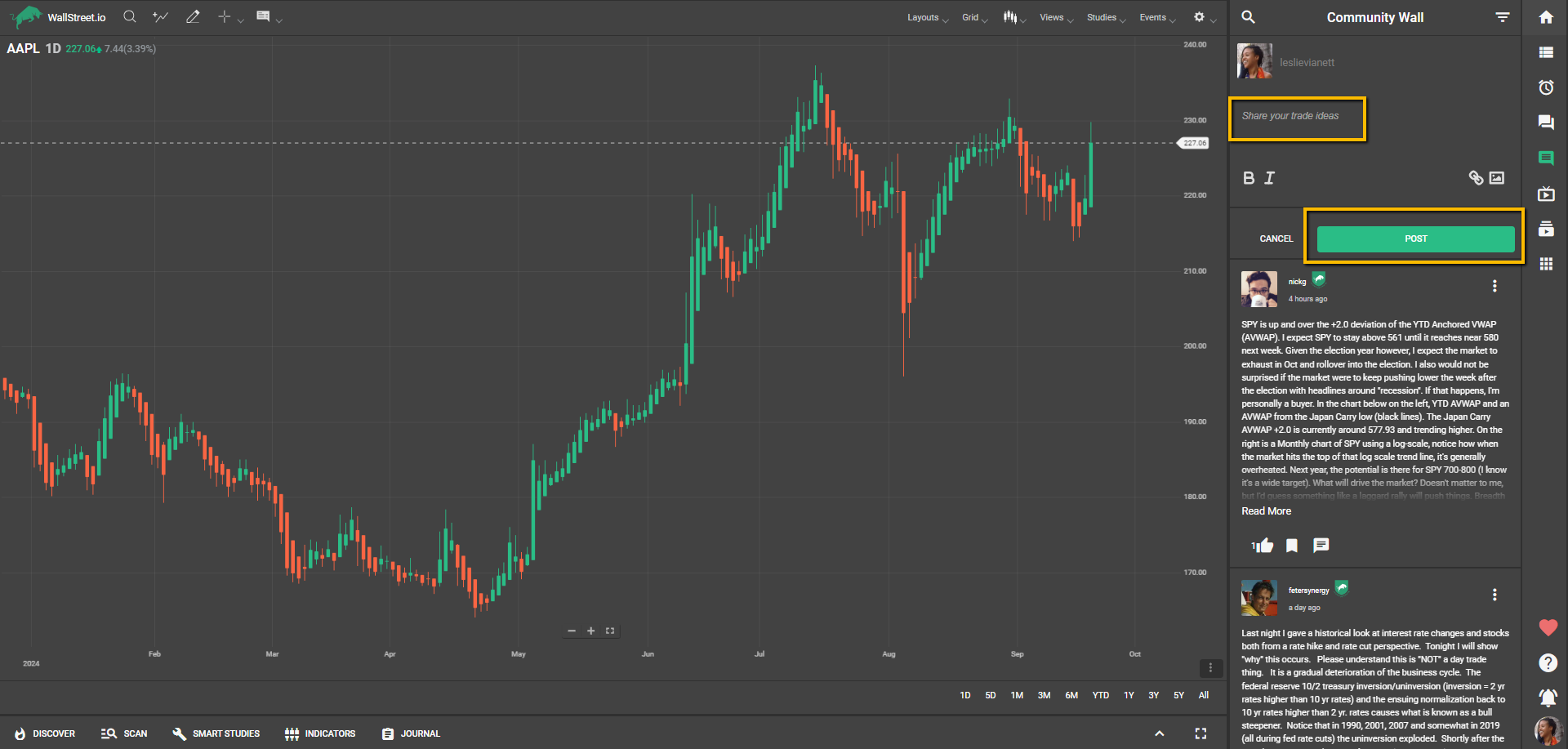
Sharing Strategies and Links
You can share strategies from the Discover tab and the Smart Studies tab, in case you want to highlight them in our community or start a discussion about them.
To share a strategy from the Discover tab, click on the three-dot menu from the Strategy Card of the strategy you’d like to share, click on “Share,” and you’ll be redirected to create a Community post. After writing your thoughts, click on the "Post" button.
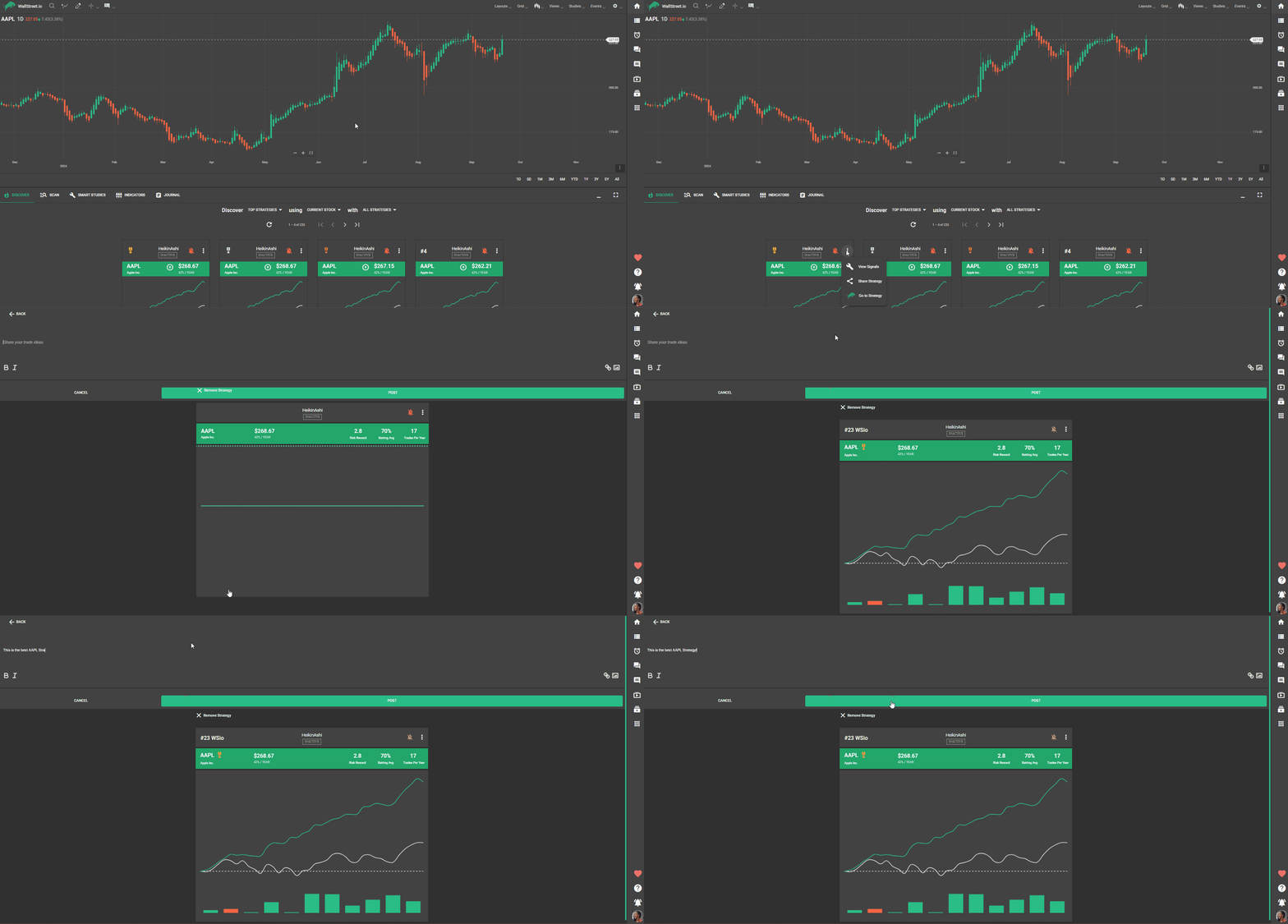
To share a strategy from the Smart Studies tab,
To share a link, copy the URL of the external resource you want to share, then paste it into the text box of your post.
Posting Pictures or Photos
Click on the picture icon to add an image to your post.Choose the desired picture or photo from your device's storage or from a designated image library.Ensure the image complements your trading ideas or provides visual support for your content.Interacting with Posts
Browse through the posts on the Community Wall to find content that interests you.Like a post by clicking on the "Like" button to show appreciation for valuable contributions.Save posts that you find informative or want to revisit later by clicking on the "Save" button.Engage in discussions by commenting on posts. Share your thoughts, ask questions, or provide feedback to initiate conversations.Tips
• Maintain a respectful and constructive tone when commenting on posts.• Be mindful of the platform's guidelines and community standards.• Contribute valuable content that adds value to the trading community.• Regularly check the Community Wall for new posts and updates.• Use the search functionality to discover specific topics or find posts from specific users.Through the Community Wall widget you can actively participate in the trading community, share insights, learn from others, and foster meaningful interactions. The Community Wall is a collaborative space, so engage responsibly and contribute positively to the trading community.