What this helps you do
This helps you move through your charts more efficiently by using your keyboard instead of relying only on your mouse. You can switch drawing tools, zoom in or out, and control chart features in seconds while staying focused on price action.
This matters because reducing small navigation steps keeps your workflow smooth and uninterrupted. Over time, using shortcuts makes charting feel more natural and responsive, especially during live sessions or fast market conditions.
Where to find these shortcuts
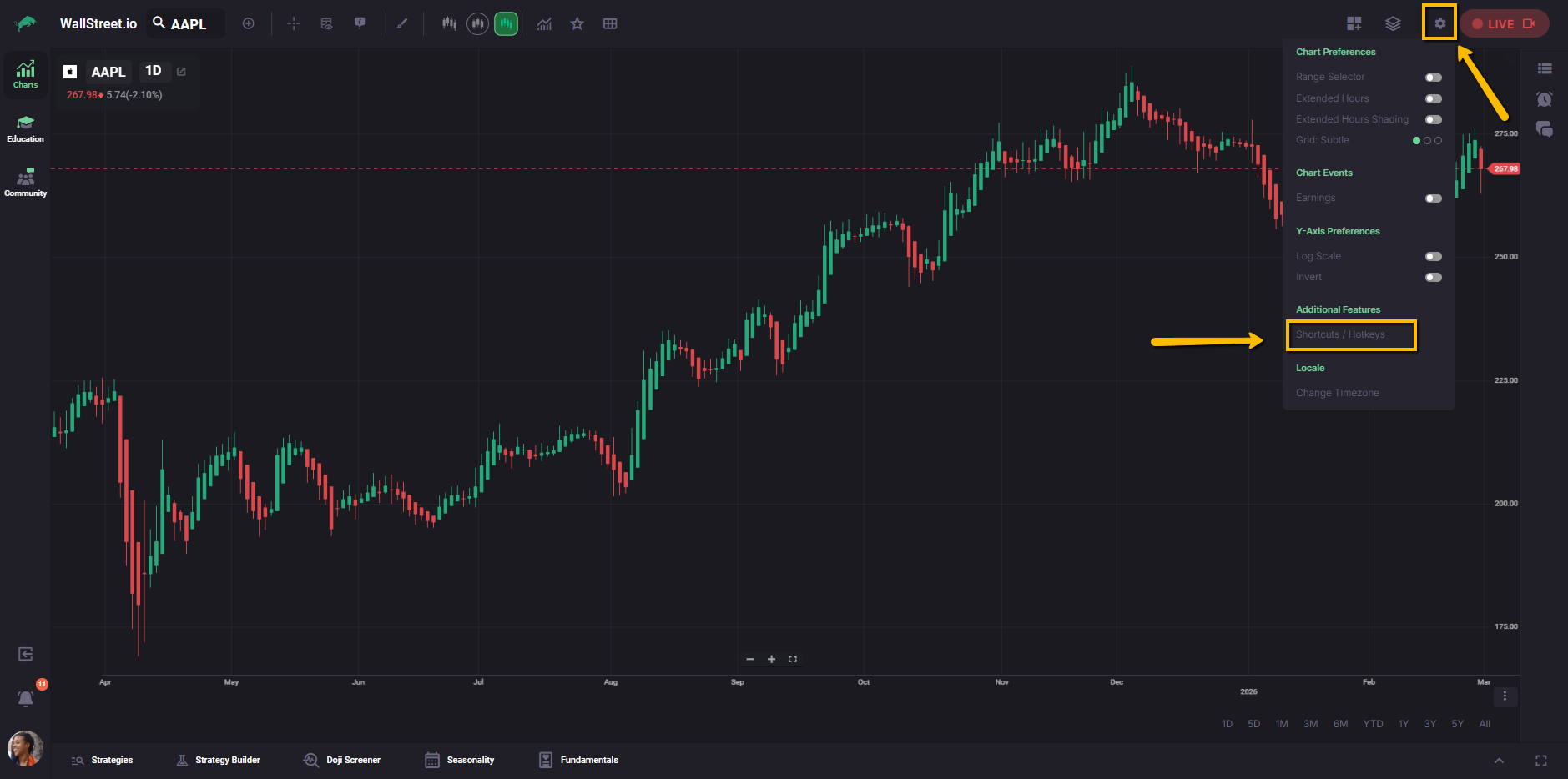
Open any chart, then click Settings (gear icon) in the top-right of the chart, and click on Shortcuts / Hotkeys to open the Shortcuts panel.
Drawing tools shortcuts
| Drawing tool | Shortcut |
| Annotation | T |
| Continuous | Shift + T |
| Arrow | Alt + A |
| Elliott Wave | E |
| Line | L |
| Ellipse | O |
| Horizontal | Shift + H |
| Fib Fan | F |
| Vertical | V |
| Pitchfork | Shift + P |
| Rectangle | R |
| Ray | Shift + L |
| Trend Line | Alt + L |
| Fib Retracement | G |
| Channel | H |
Chart hotkeys
Pan and paging
| Action | Shortcut |
| Pan chart up | Up |
| Pan chart down | Down |
| Pan chart right | Right |
| Pan chart left | Left |
| Pan chart up fast | Shift + Up |
| Pan chart down fast | Shift + Down |
| Pan chart right fast | Shift + Right |
| Pan chart left fast | Shift + Left |
| Page chart right | Alt + Right |
| Page chart left | Alt + Left |
| Pan to home | Home |
| Pan to start of loaded data | End |
Zoom
| Action | Shortcut |
| Zoom in x-axis | NumpadAdd |
| Zoom out x-axis | NumpadSubtract |
| Zoom in y-axis | Shift + = |
| Zoom out y-axis | Shift + - |
Other
| Action | Shortcut |
| Toggle crosshair | Alt + Backslash |
| Delete a highlighted item or the active drawing | Backspace |
| Close an open menu/dialog box, or undo the active drawing | Escape |
| Range Slider | Alt + Shift + R |
| Extended Hours | Alt + Shift + X |
| Open this Keyboard Shortcuts panel | Alt + Shift + / |